In this article
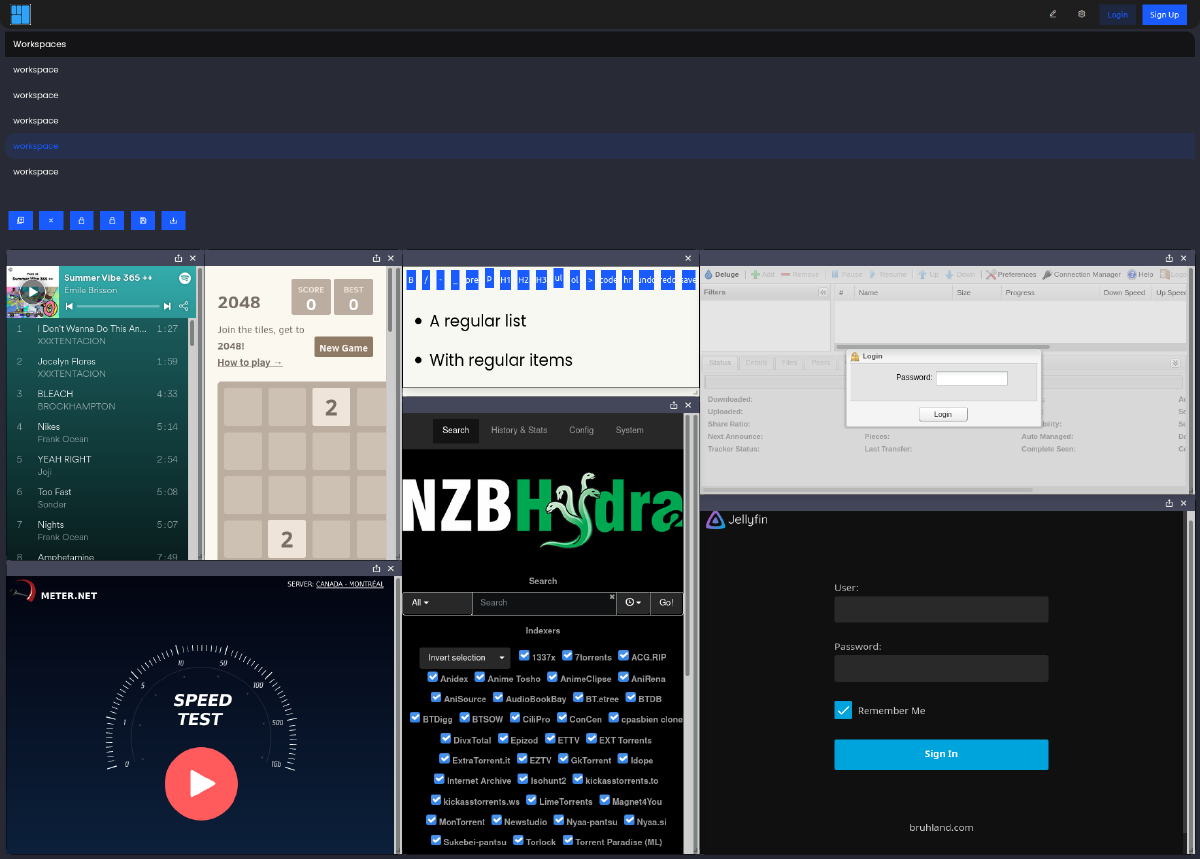
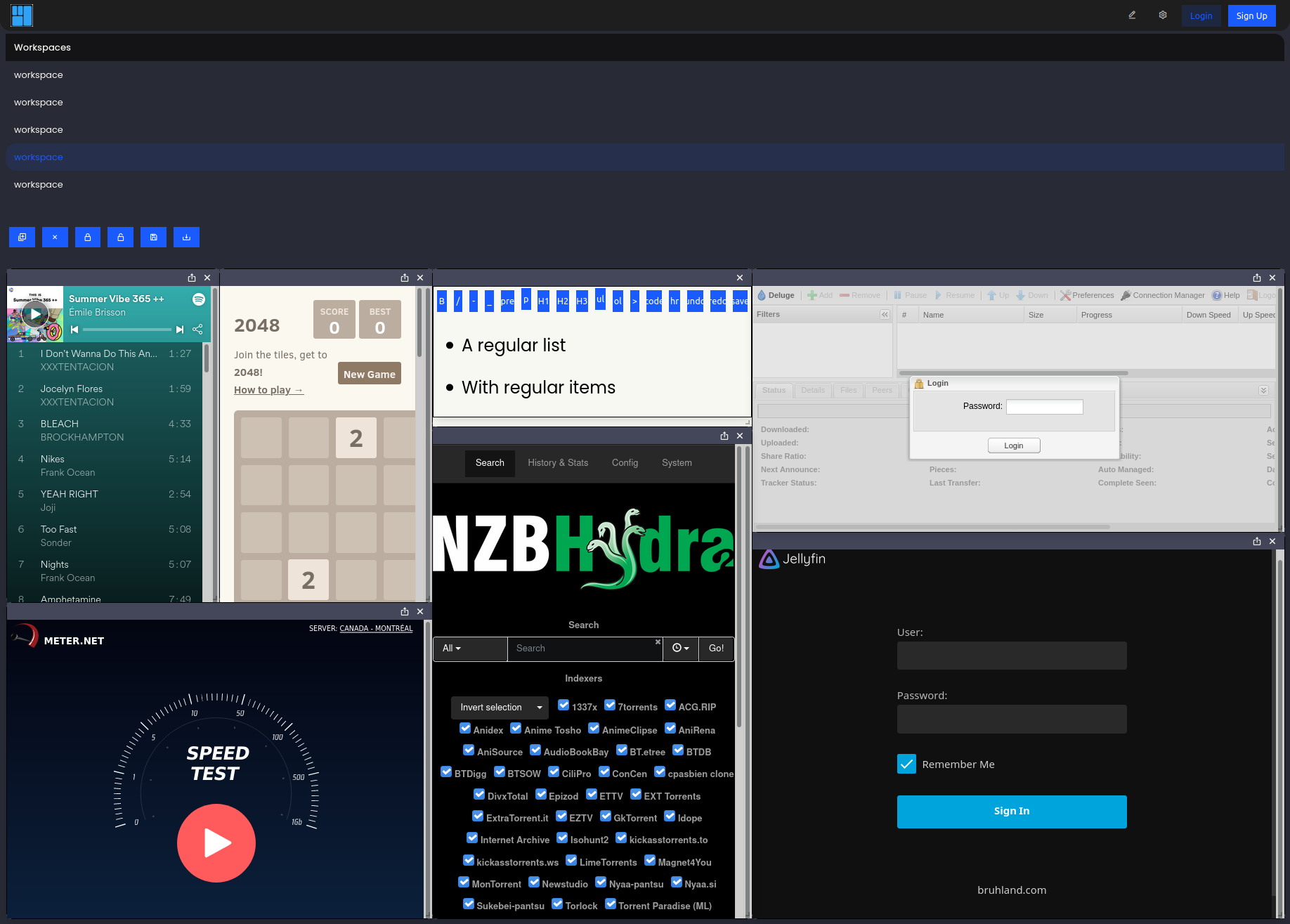
I started DasherControl because my homelab services kept spreading across browser tabs. The idea was a workspace of applets: bookmarks and embedded applications arranged in a dashboard, with a few Docker controls nearby.
Two paths behind the same dashboard
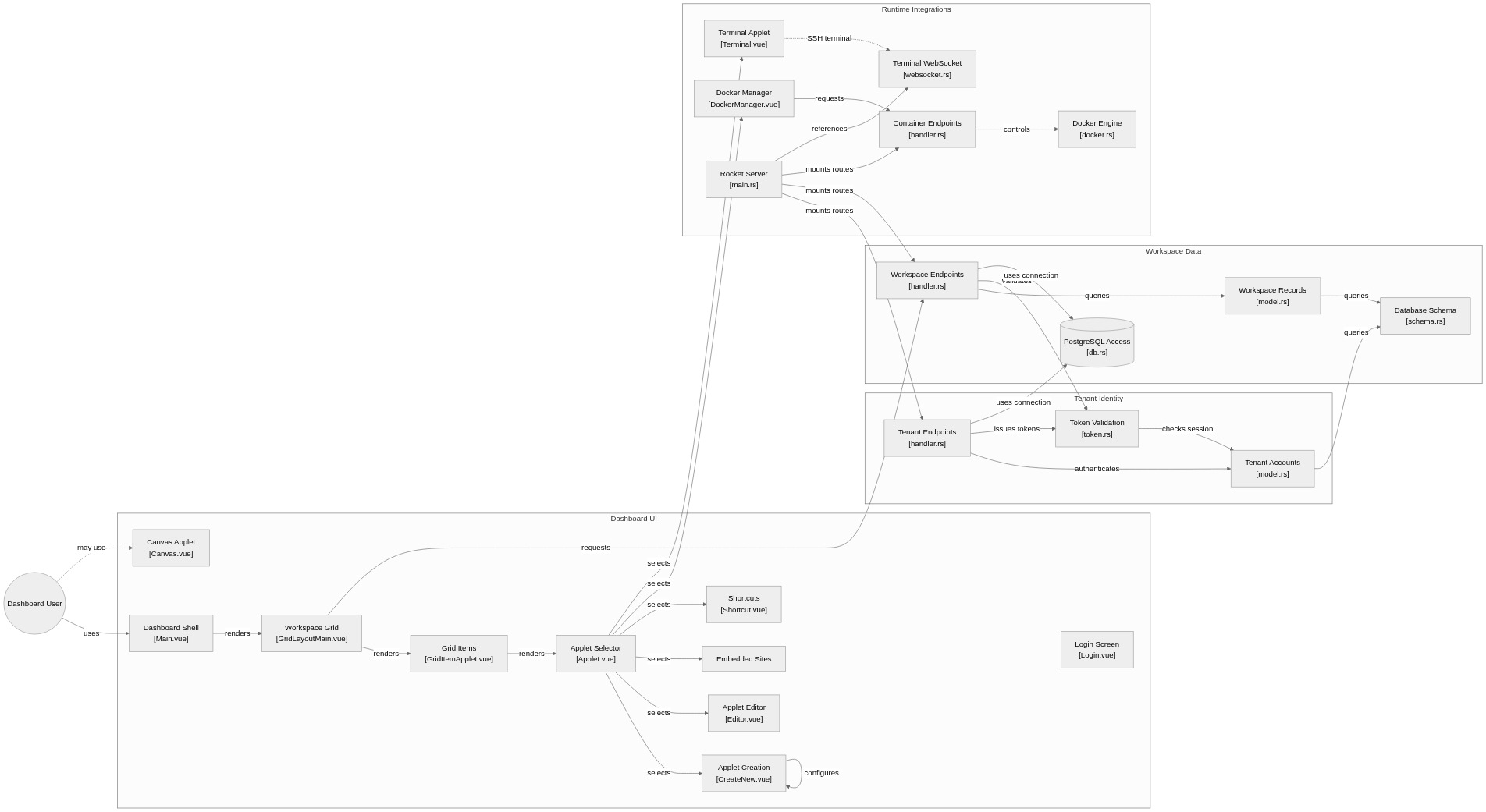
System overview of the components and connections verified in the repository.
flowchart LR

subgraph group_dashboard["Dashboard UI"]
  node_main_ui["Dashboard Shell<br/>[Main.vue]"]
  node_grid["Workspace Grid<br/>[GridLayoutMain.vue]"]
  node_grid_item["Grid Items<br/>[GridItemApplet.vue]"]
  node_applet_router["Applet Selector<br/>[Applet.vue]"]
  node_applet_authoring["Applet Creation<br/>[CreateNew.vue]"]
  node_editor["Applet Editor<br/>[Editor.vue]"]
  node_iframe["Embedded Sites"]
  node_shortcut["Shortcuts<br/>[Shortcut.vue]"]
  node_canvas["Canvas Applet<br/>[Canvas.vue]"]
  node_login_ui["Login Screen<br/>[Login.vue]"]
end

subgraph group_identity["Tenant Identity"]
  node_tenant_api["Tenant Endpoints<br/>[handler.rs]"]
  node_tenant_model["Tenant Accounts<br/>[model.rs]"]
  node_token_auth["Token Validation<br/>[token.rs]"]
end

subgraph group_workspace["Workspace Data"]
  node_workspace_api["Workspace Endpoints<br/>[handler.rs]"]
  node_workspace_model["Workspace Records<br/>[model.rs]"]
  node_database[("PostgreSQL Access<br/>[db.rs]")]
  node_schema["Database Schema<br/>[schema.rs]"]
end

subgraph group_integrations["Runtime Integrations"]
  node_docker_ui["Docker Manager<br/>[DockerManager.vue]"]
  node_container_api["Container Endpoints<br/>[handler.rs]"]
  node_docker_engine["Docker Engine<br/>[docker.rs]"]
  node_terminal_ui["Terminal Applet<br/>[Terminal.vue]"]
  node_terminal_ws["Terminal WebSocket<br/>[websocket.rs]"]
  node_server["Rocket Server<br/>[main.rs]"]
end

node_user(("Dashboard User"))

node_user -->|"uses"| node_main_ui
node_main_ui -->|"renders"| node_grid
node_grid -->|"renders"| node_grid_item
node_grid_item -->|"renders"| node_applet_router
node_applet_router -->|"selects"| node_applet_authoring
node_applet_router -->|"selects"| node_editor
node_applet_router -->|"selects"| node_iframe
node_applet_router -->|"selects"| node_shortcut
node_applet_authoring -->|"configures"| node_applet_authoring
node_grid -->|"requests"| node_workspace_api
node_tenant_api -->|"authenticates"| node_tenant_model
node_tenant_api -->|"issues tokens"| node_token_auth
node_token_auth -->|"checks session"| node_tenant_model
node_workspace_api -->|"queries"| node_workspace_model
node_workspace_api -->|"validates"| node_token_auth
node_tenant_model -->|"queries"| node_schema
node_workspace_model -->|"queries"| node_schema
node_tenant_api -->|"uses connection"| node_database
node_workspace_api -->|"uses connection"| node_database
node_docker_ui -->|"requests"| node_container_api
node_container_api -->|"controls"| node_docker_engine
node_applet_router -->|"selects"| node_docker_ui
node_applet_router -->|"selects"| node_terminal_ui
node_server -->|"mounts routes"| node_tenant_api
node_server -->|"mounts routes"| node_workspace_api
node_server -->|"mounts routes"| node_container_api
node_server -->|"references"| node_terminal_ws
node_user -.->|"may use"| node_canvas
node_terminal_ui -.->|"SSH terminal"| node_terminal_ws


class node_main_ui,node_grid,node_grid_item,node_applet_router,node_applet_authoring,node_editor,node_iframe,node_shortcut,node_canvas,node_login_ui,node_user toneBlue
class node_tenant_api,node_tenant_model,node_token_auth toneAmber
class node_workspace_api,node_workspace_model,node_database,node_schema toneMint
class node_docker_ui,node_container_api,node_docker_engine,node_terminal_ui,node_terminal_ws,node_server toneRose
A configurable homelab dashboard where users arrange workspaces of applets. Vue calls Rocket endpoints for persistence, tenant checks and Docker actions; PostgreSQL stores workspace data and a separate adapter talks to Docker.
- Components
- 24
- Connections
- 29
- Links supported by code or README
- 26/29
Text version of the diagram
- Vue workspace UI → Rocket handlers
- Rocket handlers → Diesel and PostgreSQL
- Rocket handlers → Shiplift adapter
- Shiplift adapter → Docker daemon
Saving a layout goes through workspace handlers and database records. Restarting a container goes through the Shiplift adapter to Docker. PostgreSQL does not execute the Docker action, and an applet is not itself a running container. Keeping those paths separate helps explain both permissions and failure states.
Follow the handlers and Docker boundary in the architecture note.
A workspace has an owner
The frontend uses Vue, while the backend uses Rust, Rocket and Diesel. In src/workspaces/handler.rs, the list handler reads the tenant identifier from a token. The handler that returns applets checks the workspace’s tenant before returning its contents.
The create-with-applets route also derives the tenant identifier from the token. That is the intended ownership model: a saved layout belongs to a user, and applets belong to a workspace.
The file contains older create and delete paths with different checks. Their presence is a reason to inspect authorization across every operation before using this as a shared service. This article describes an experiment, not a security review of a deployed system.
Docker is a separate boundary
src/containers/docker.rs wraps Shiplift calls for listing containers and images, pulling images, creating containers, and stopping or restarting them. This separates the dashboard’s workspace model from Docker operations.
It also exposes a UI problem: the list helpers return an empty vector after a Docker error. An empty dashboard could therefore mean either “nothing is running” or “the service could not be reached.” I would make those states visibly different in a new version.
What the browser can embed
The README records iframe login failures. Applications can restrict embedding, and authentication inside a frame may behave differently from an ordinary tab. A dashboard needs an external link for those services even when an iframe works for others.
This is an older project. The repository’s screenshot and optional GIF preserve the interface as it was; they do not demonstrate compatibility with current dependencies.
Play the original demo GIF
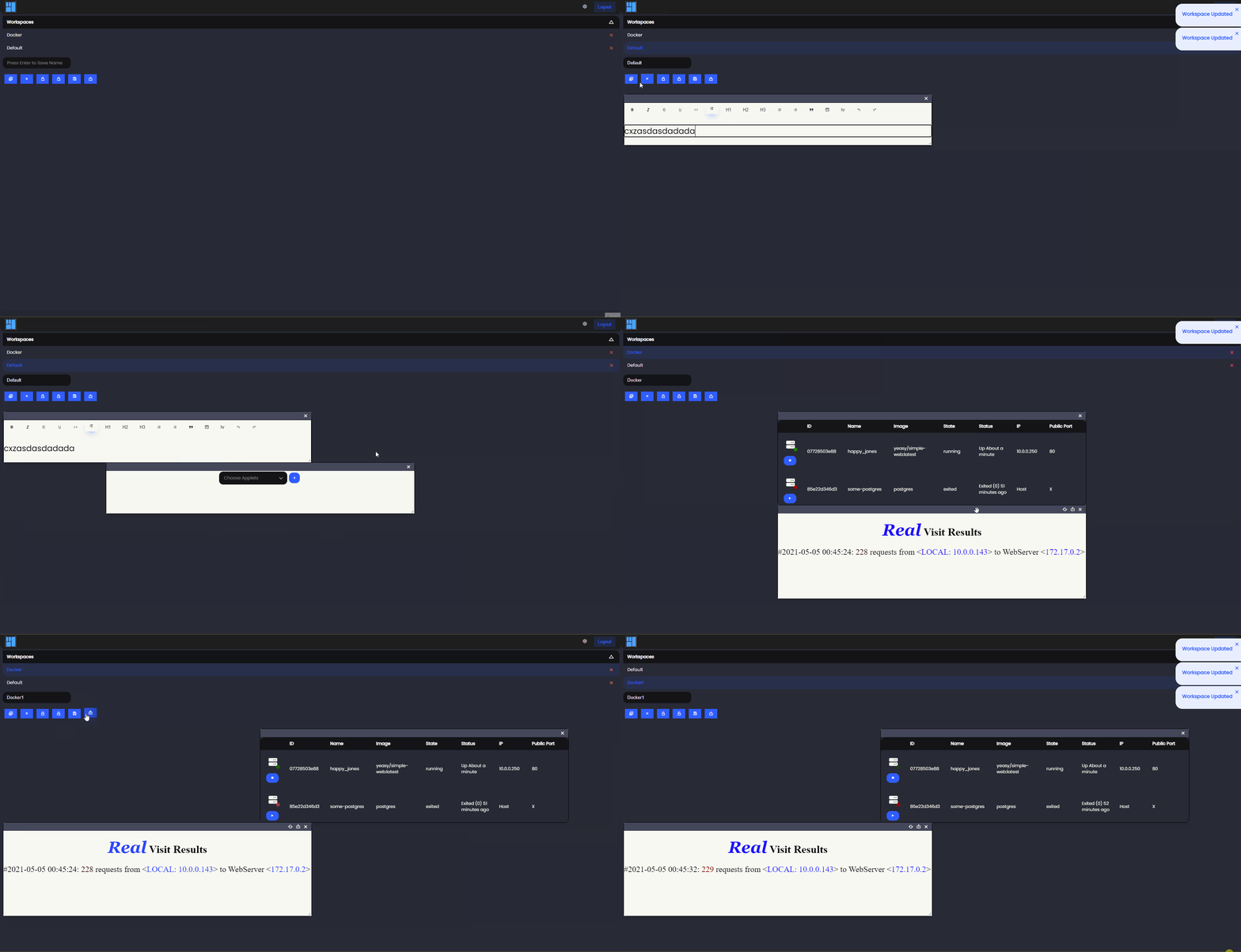
Browse the source and original README. Both illustrations come from its images directory.