.dotfiles: A shell environment in scripts
These dotfiles collect the shell and editor setup I used across machines. The interesting part is the installer: it turns a set of personal preferences into operations on packages, configuration files and upstream projects.
Repository languagesShell 100%1
Shares calculated from GitHub Linguist bytes.
| Language | % | Bytes |
|---|---|---|
| Shell | 31,592 |
Overview
Why it exists
Idempotent multi-distribution installer supporting apt, dnf, pacman with modular Zsh and Vim configurations.
Best fit
Reproducible shell and developer environment across macOS and Linux servers.
Getting started
These commands come from the repository documentation. They were not run during this review.
bash install.sh
source install.sh
install_vimrc
Repository references
Excerpts from the repository’s guides, in their original language. Links open the inspected source revision.
Prerequisites and first run
Installation
README.md
Uninstallation
README.md
Configuration and usage
cli_tools
README.md
Operations and troubleshooting
Updating
README.md
Features and components 2
- Package installation
- install.sh reads the distribution from /etc/os-release, then selects apt, pacman, dnf or yum. exec_root wraps commands that need elevated privileges. Package installation and configuration changes therefore share one script.
- Editor and shell setup
- The Vim path installs amix/vimrc and applies local changes, including line numbers and the file-tree position. Other functions install Oh My Zsh. update.sh and uninstall.sh are separate maintenance entry points.
Architecture
The components and their connections remain available as text. The diagram adds an interactive view.
- install.sh
- Distribution detection
- System packages
- Vim and Zsh configuration
Links verified in the repository.
Mermaid Interactive diagram (loads on open)
System overview of the components and connections verified in the repository.
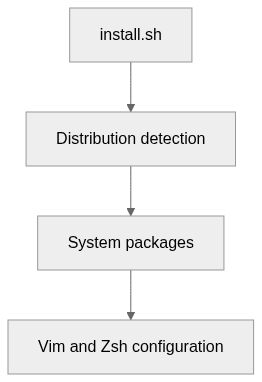
flowchart LR
  n0["install.sh"]
  n1["Distribution detection"]
  n2["System packages"]
  n3["Vim and Zsh configuration"]
  n0 --> n1
  n1 --> n2
  n2 --> n3
Text version of the diagram
- install.sh → Distribution detection
- Distribution detection → System packages
- System packages → Vim and Zsh configuration
Follow one path through the code
Follow install_vimrc from its package request to the upstream clone, then to the edits in ~/.vim_runtime. This shows which files the installer owns and which belong to another project.
File structure
The map shows the inspected files and their organization.
Reference
5 / 5 eligible files read (6 in the tree); 0 oversized, 0 failed reads and 0 syntax diagnostics.
What the scan covers
Known dependency/build folders, credential files and binaries are excluded. The scan covers READMEs, recognized manifests and parser-supported source files.
Linguist statistics cover the whole repository and may include other languages.
File map
flowchart TD
  root[".dotfiles"]
  f0["install.sh"]
  root --> f0
  f1["uninstall.sh"]
  root --> f1
  f2["update.sh"]
  root --> f2
  f3["README.md"]
  root --> f3
  f4["motd/motd.sh"]
  root --> f4