
uml-mcp gives an MCP client real diagram tools: an assistant supplies Mermaid, PlantUML, or another supported diagram source, and the server returns rendered output and useful links. The current repository documents five tools and a catalog of roughly 37 Kroki-backed types. Those counts describe the documented interface, not a rendering benchmark. Version française.
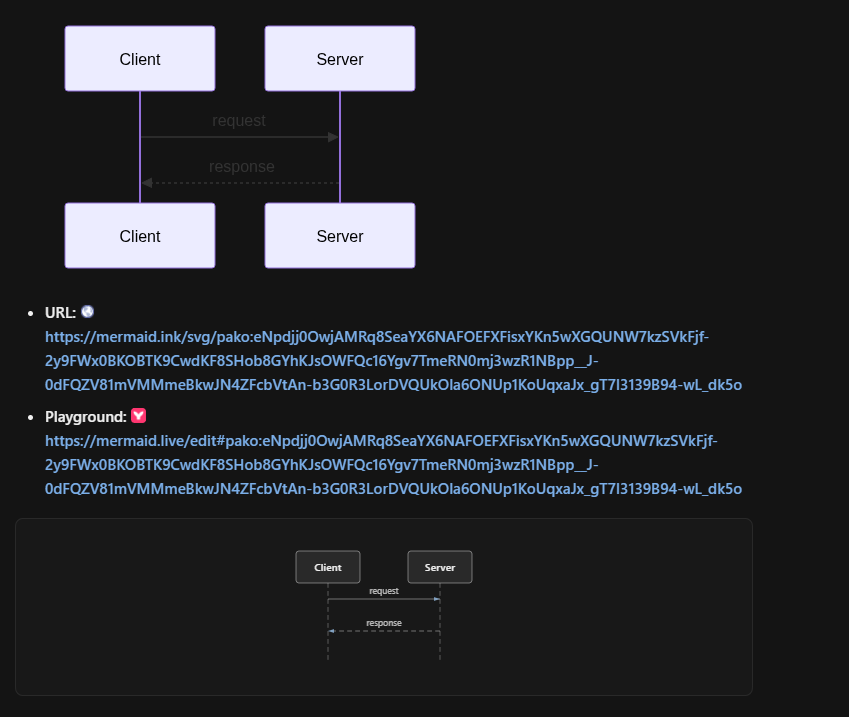
From Mermaid source to image and editor links
sequenceDiagram
  participant C as MCP client
  participant U as UML-MCP
  participant R as Renderer
  C->>U: generate_uml with source and type
  U->>U: Check request
  U->>R: Build rendering request
  R-->>U: Rendered diagram
  U-->>C: URL, editor link or image
tools/kroki/mermaid.py builds JSON state, compresses it with zlib, and encodes it as URL-safe base64. That state supports both an image link and an editable mermaid.live link.
The module distinguishes SVG at /svg/ from PNG/JPEG/WebP at /img/?type=.... A wrong endpoint can break a perfectly valid diagram before its syntax ever becomes the problem.
The repository also exposes generate_uml_image, validate_uml, list_diagram_types, and generate_uml_batch. Choose the tool for inline preview, source checks, format discovery, or multiple independent renders.
There is an operations side too
The current README documents uml-mcp admin, metrics, and a Kroki playground. They help separate invalid source, unavailable renderers, and configuration problems. A successful request still needs a human check that the diagram represents the intended system.
For the same diagram-source idea inside a node editor, see ComfyUI-UML.
Why MCP instead of copy-paste templates?
I started with ChatGPT plugins (D2C OpenAI diagram plugin) and AIPRM sequence templates. Both work, but editors wanted native tools: enable a server once, call generate_uml from the agent, save .mmd + SVG beside the post. MCP is that layer — same idea as the plugin, different host.
What it supports
| Backend | Good for |
|---|---|
| Mermaid | GitHub-native flows, quick sequences |
| PlantUML | Classic UML, deployments, strict notation |
| Kroki | Unified render path when you mix formats |
Hosted endpoint: uml-mcp.vercel.app/mcp. Docs site: antoinebou12.github.io/uml-mcp.
Cursor setup (short)
- Clone or install from github.com/antoinebou12/uml-mcp (README has the MCP config block).
- Add the server to Cursor MCP settings.
- Ask for a diagram type explicitly — e.g. “Mermaid sequence: user, React, FastAPI, Postgres, login with cache miss.”
I use it across this blog for pipeline and career diagrams; see AI figurines post or software engineering journey for examples.
Limits
- Models still hallucinate syntax sometimes — always render locally before publishing.
- Secrets belong out of prompts; diagram user/service names, not production credentials.
- OpenAI plugin churn moved the ChatGPT story toward Custom GPT + MCP; treat the D2C plugin post as historical context with a live successor.
Project page
More badges and links: uml-mcp project page.
Related posts
- D2C OpenAI plugin — PlantUML, Mermaid, D2
- Diagram prompts with ChatGPT and AIPRM
- Handheld homebrew repos (unrelated stack, same “side project” bucket)