I joined a Run:ai webinar (Americas) about running and autoscaling ML inference on AWS. At the time I was deep in coursework and side projects that touched GPUs and containers, but production inference was still mostly “someone SSH’d to a box.” The session was useful because it framed inference as a scheduling and capacity problem—not only a model-export problem. Version française.
Why I watched
Training gets the glamour; inference pays the bills every hour the endpoint stays up. On AWS that usually means EKS (or similar), GPU node groups, HPA/KEDA-style scaling, and a finance team asking why utilization is 12% while latency spikes. Run:ai pitches itself as the control plane on top of Kubernetes for shared GPU clusters: fair queues, visibility into who consumed what, and policies so inference workloads do not get starved by batch training jobs—or the reverse.
I did not implement Run:ai afterward; these notes are what I kept for later platform work (quotas, observability, chargeback language). If you are comparing stacks today, also see vector search / RAG notes for the application side and Snowflake Data-for-Breakfast for another 2022 conference snapshot.
What Run:ai is optimizing (one paragraph)
The recurring theme: teams buy expensive GPUs, then run Kubernetes like generic CPU clusters and wonder why inference latency jitters or nodes sit idle. Run:ai adds a layer for workload placement, prioritization, and reporting on GPU-backed jobs—training, fine-tuning, and inference services in the same fleet. On AWS, that implies integration with how you already provision nodes (instance types, autoscaling groups, spot vs on-demand) and how you expose models (containers, possibly multi-replica deployments).
Dashboard — jobs and utilization
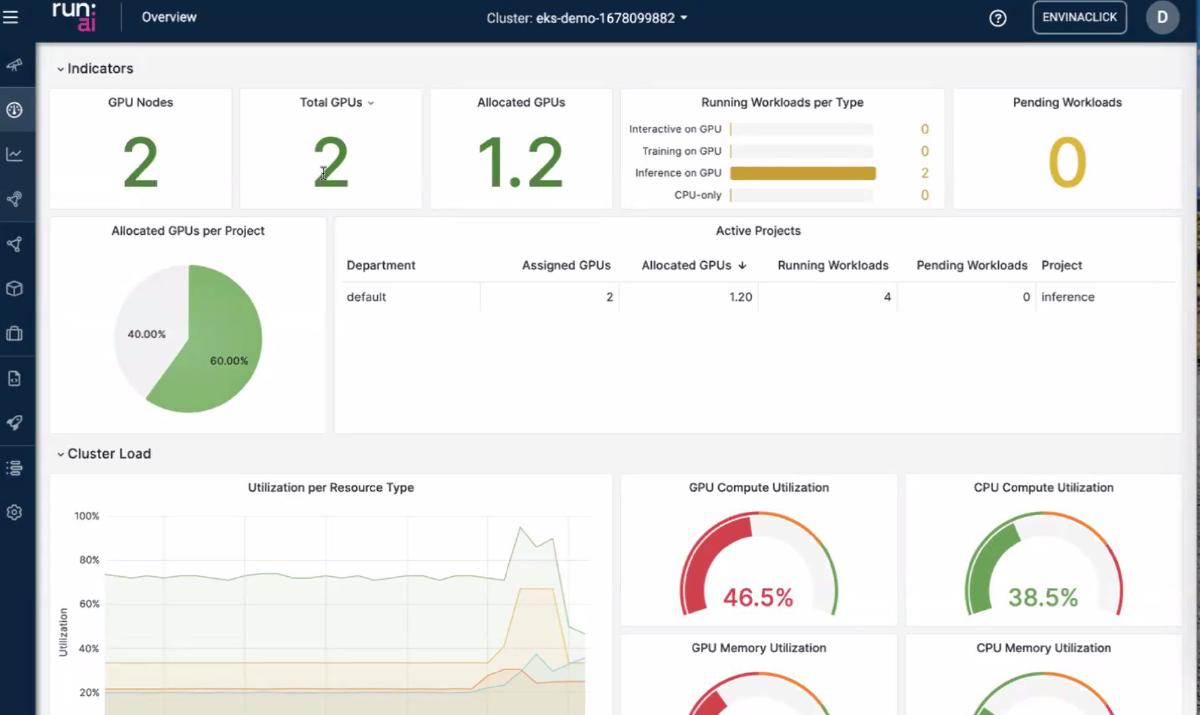
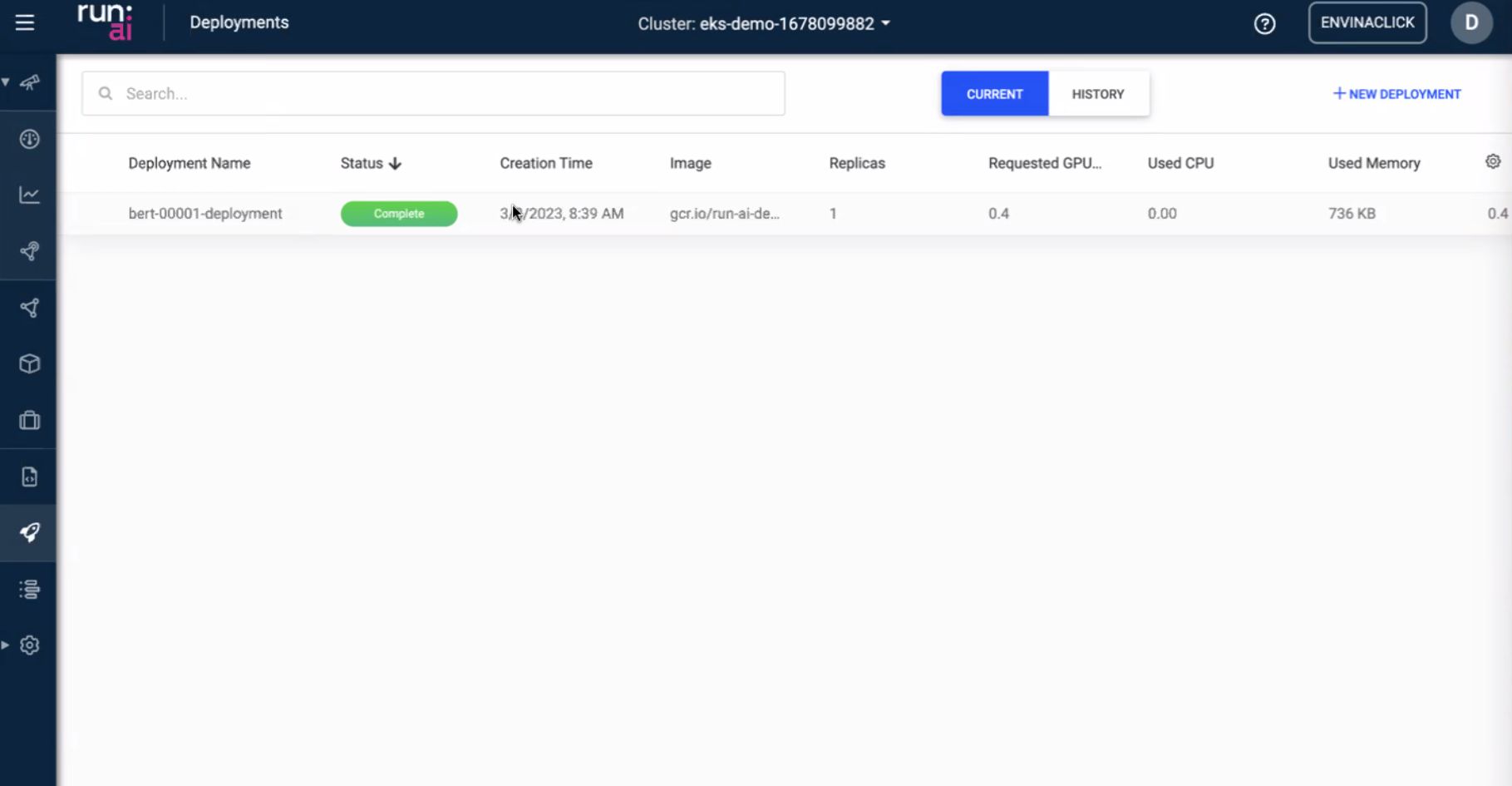
The UI slides were the “ops brain”: what is running, what is queued, and whether GPUs are actually busy or just reserved.
- Job list / status — inference replicas vs batch jobs show up as first-class objects, not only anonymous pods.
- Utilization — the gap between allocated and used GPU time is where cost leaks; the dashboard is meant to make that visible to platform owners, not only to the ML engineer who submitted the job.
- Second view — alternate layout emphasized cluster-level vs project/team-level slices (useful when arguing for quotas).
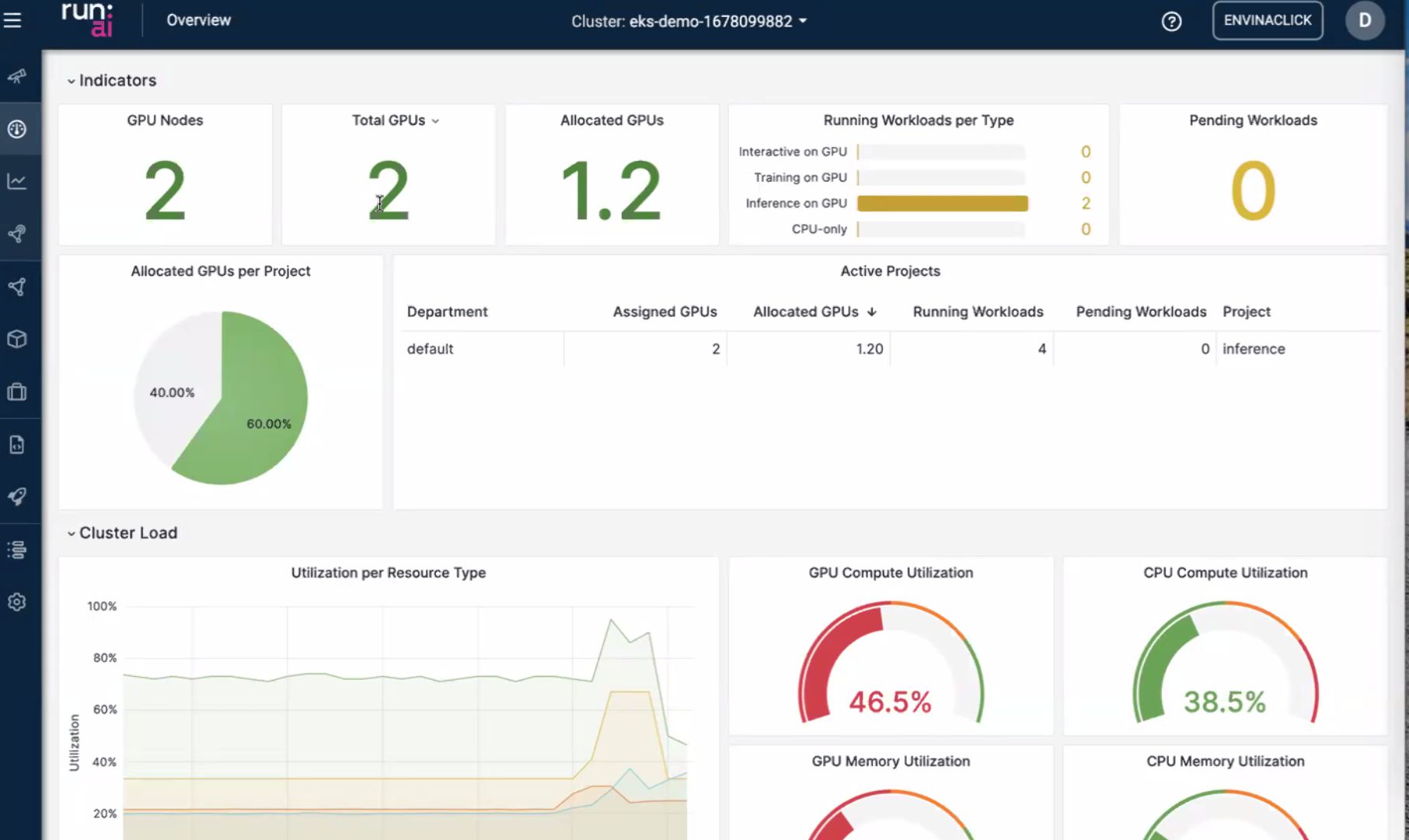
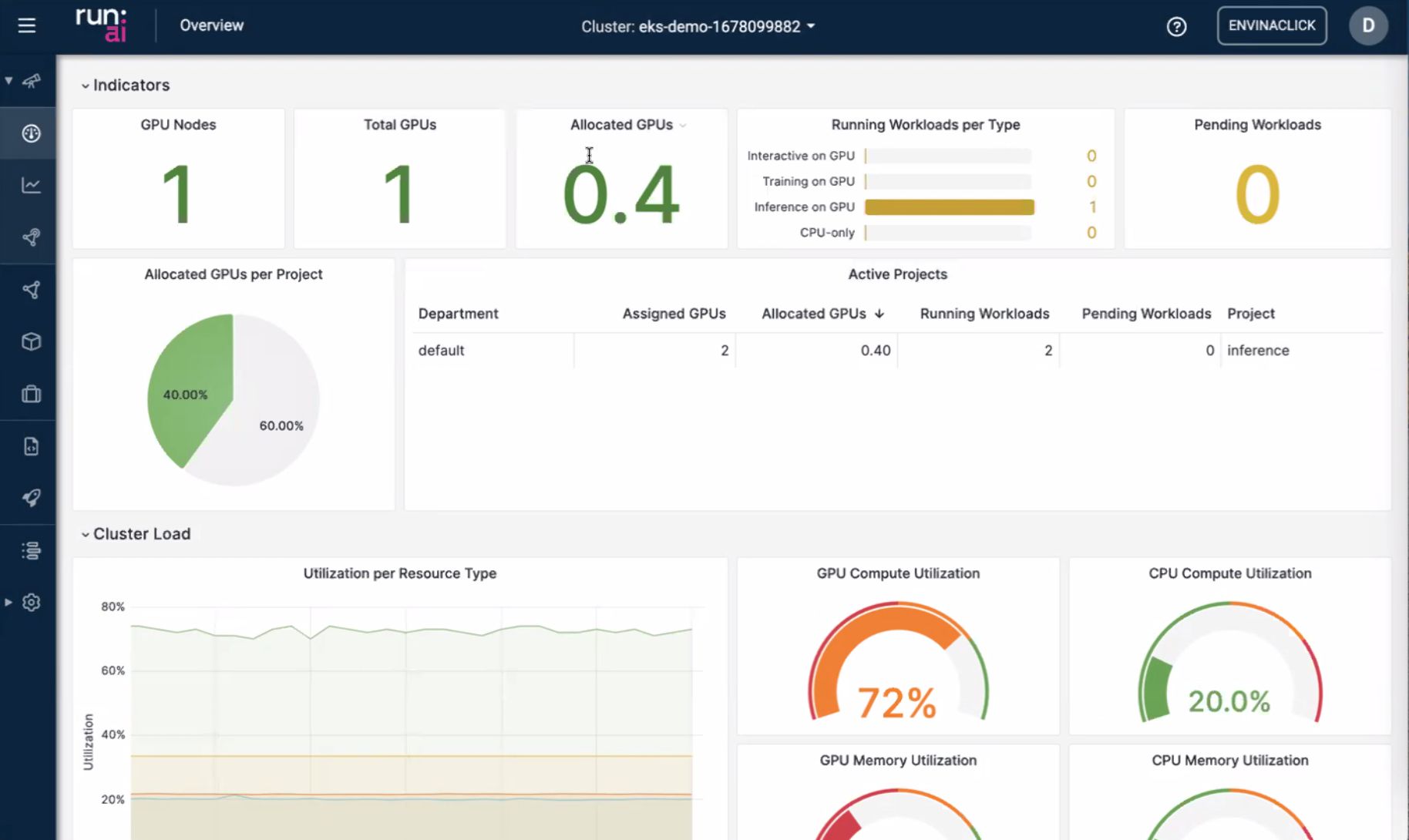
Takeaway for me: if I cannot answer “who is holding the GPU right now?” in under a minute, I do not have a production inference platform—I have a shared SSH host with extra steps.
CLI — automation and GitOps-shaped workflows
The CLI section mirrored the UI objects: submit workloads, inspect queues, integrate with pipelines. That matters because inference autoscaling is rarely only horizontal pod autoscaler math; you also want versioned deploys, canary replicas, and teardown when a model is retired.
Typical patterns the slides pointed at:
- CI builds a container → CLI (or API) registers an inference workload with CPU/GPU/memory bounds.
- Autoscaling rules tie to queue depth, latency SLOs, or schedule (scale down nights/weekends).
- Platform team keeps cluster policies in repo; researchers keep model artifacts in their own repos.
Models — packaging and multi-instance scaling
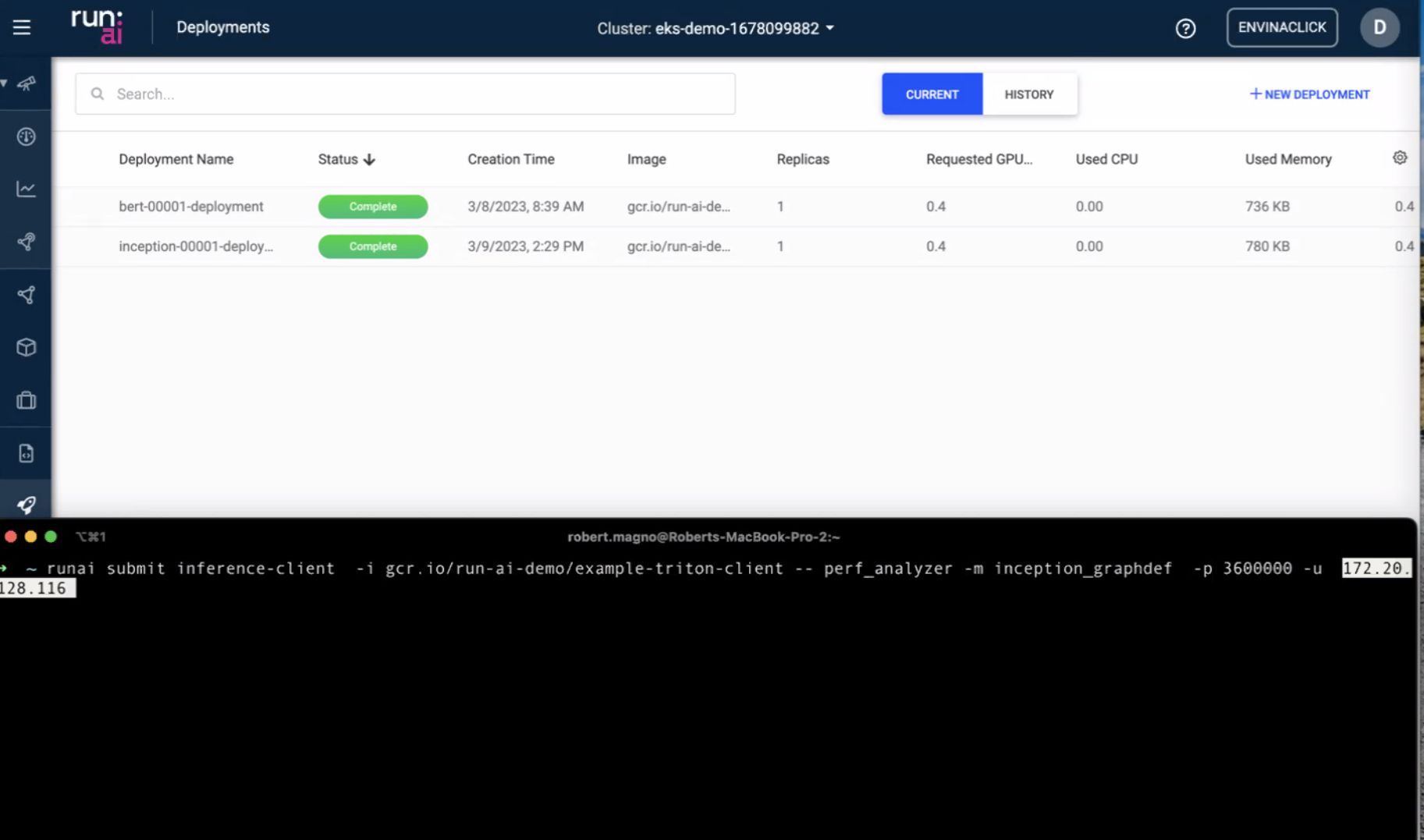
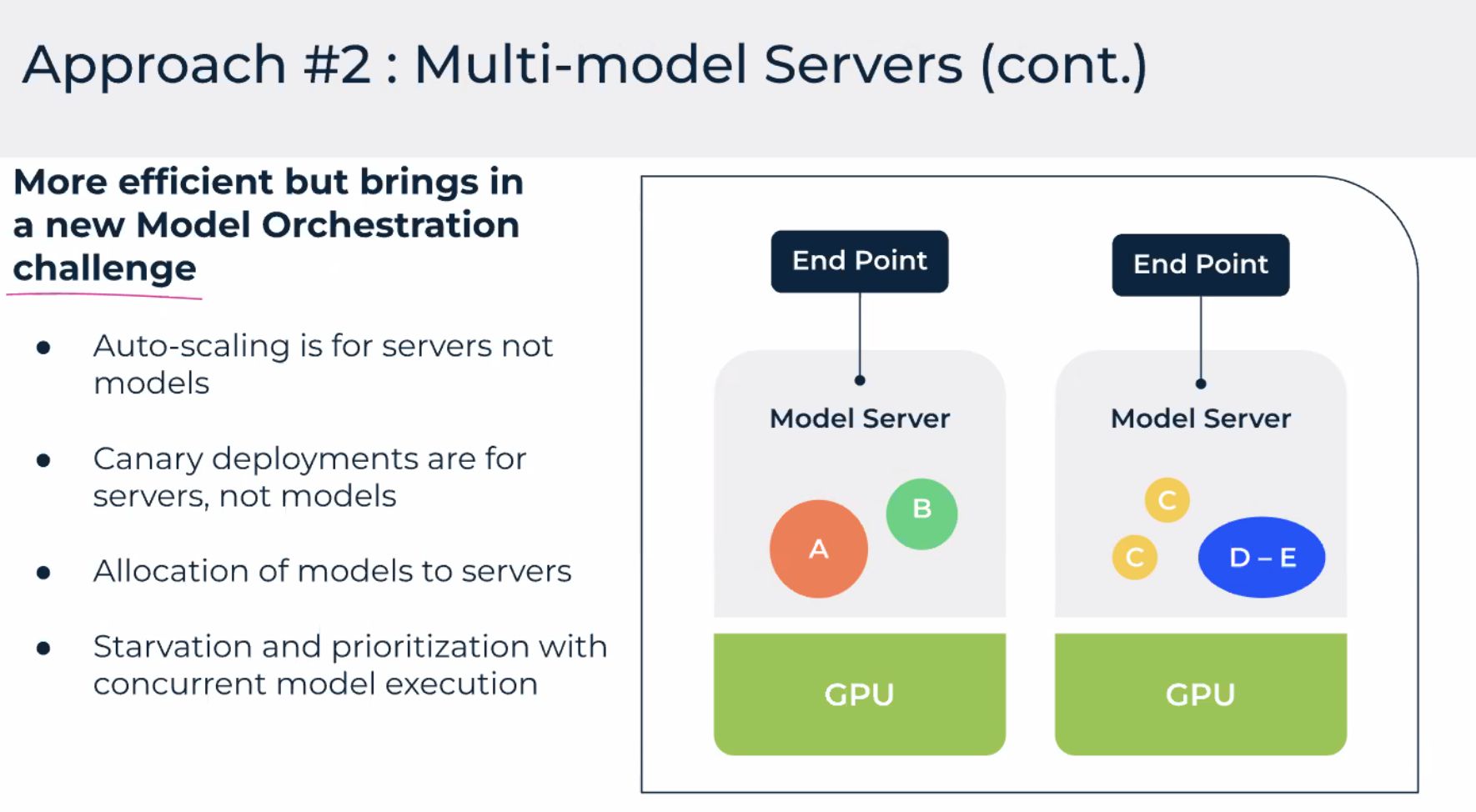
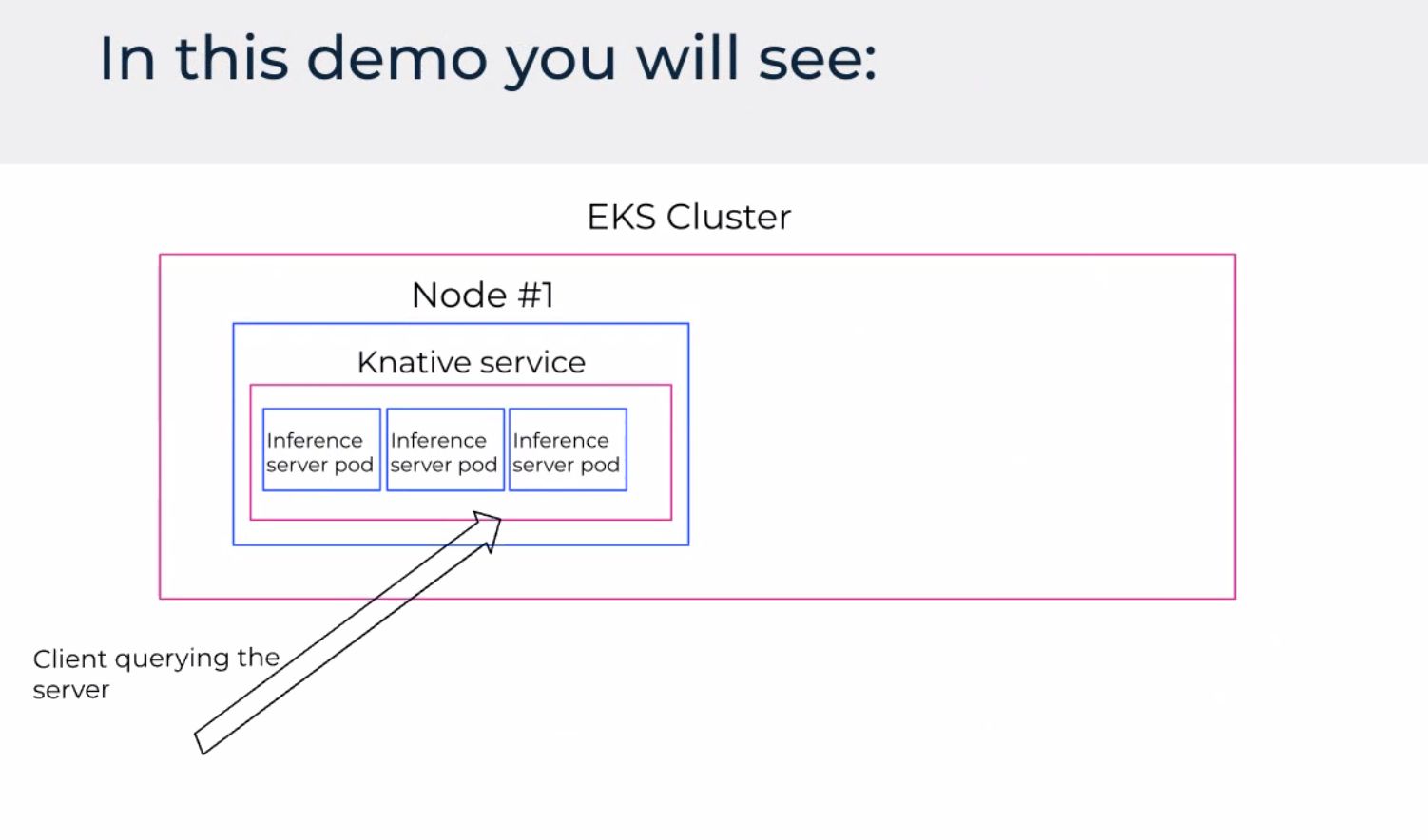
Model-centric UI: one logical service, N replicas behind it. For inference, that is the difference between “one pod on a g5” and “a service that survives node loss.”
The multi-instance slide was about horizontal scale when request rate grows—duplicate inference workers, spread across nodes, keep scheduling aware of GPU memory headroom (large LLM weights vs smaller CV models).
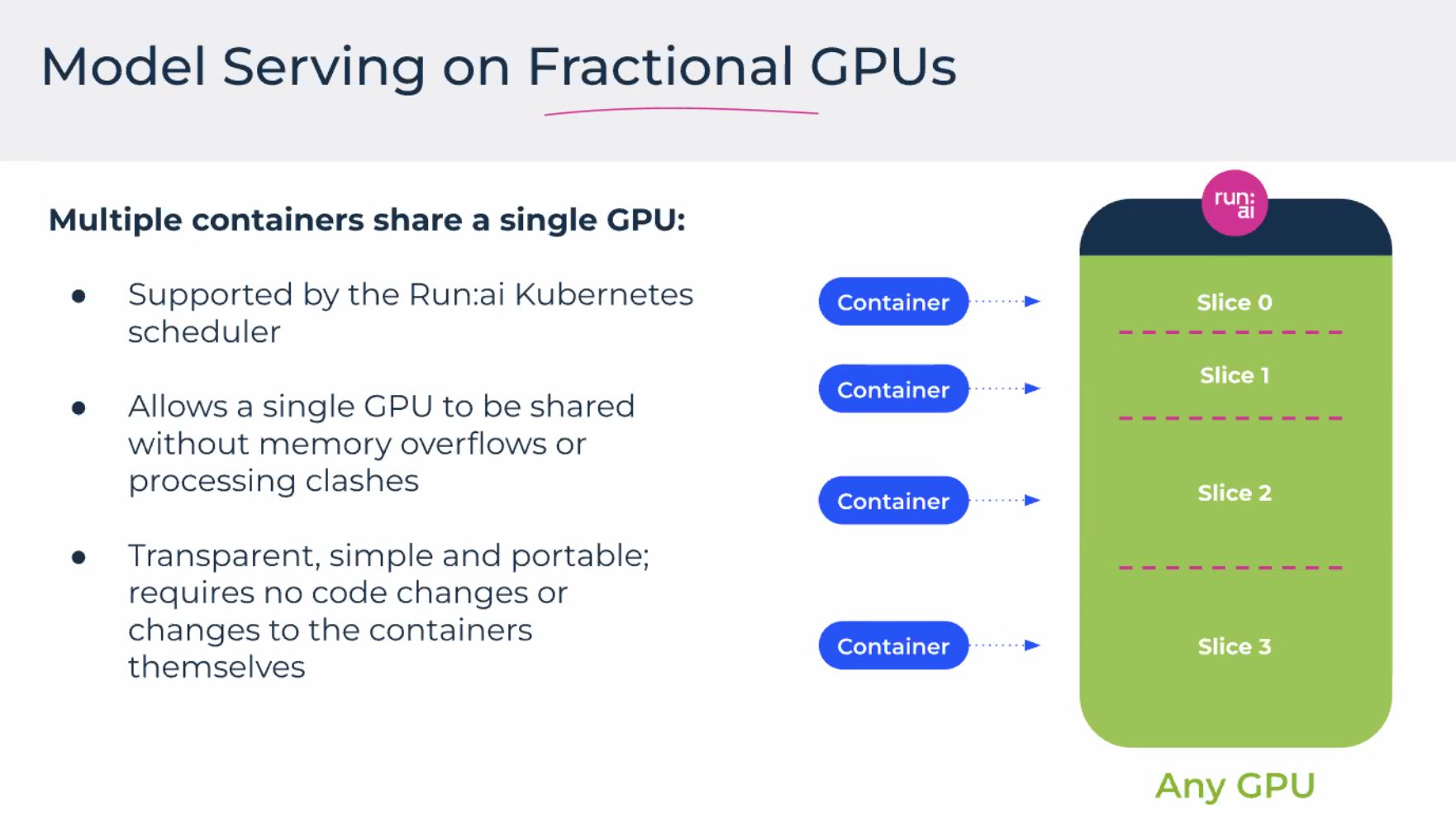
Questions I wrote in the margin:
- Cold start when a new replica mounts weights from S3/EFS?
- Max replicas capped by GPU fragmenting (many small jobs vs one fat job)?
- Whether scale-down waits for in-flight requests or hard-kills (SLO vs cost).
Workloads — queues, caps, and fairness
Managing workloads covered policies: per-team caps, priorities, preemption rules, and possibly time windows. That is the social contract when 10 teams share 8 GPUs.
- Inference often wants steady baseline + burst; training wants long blocks. Without policy, training wins on duration and inference wins on escalation to leadership.
- Good platforms expose queue position and estimated start—not only failure after six hours pending.
Infrastructure — servers and what you pay for
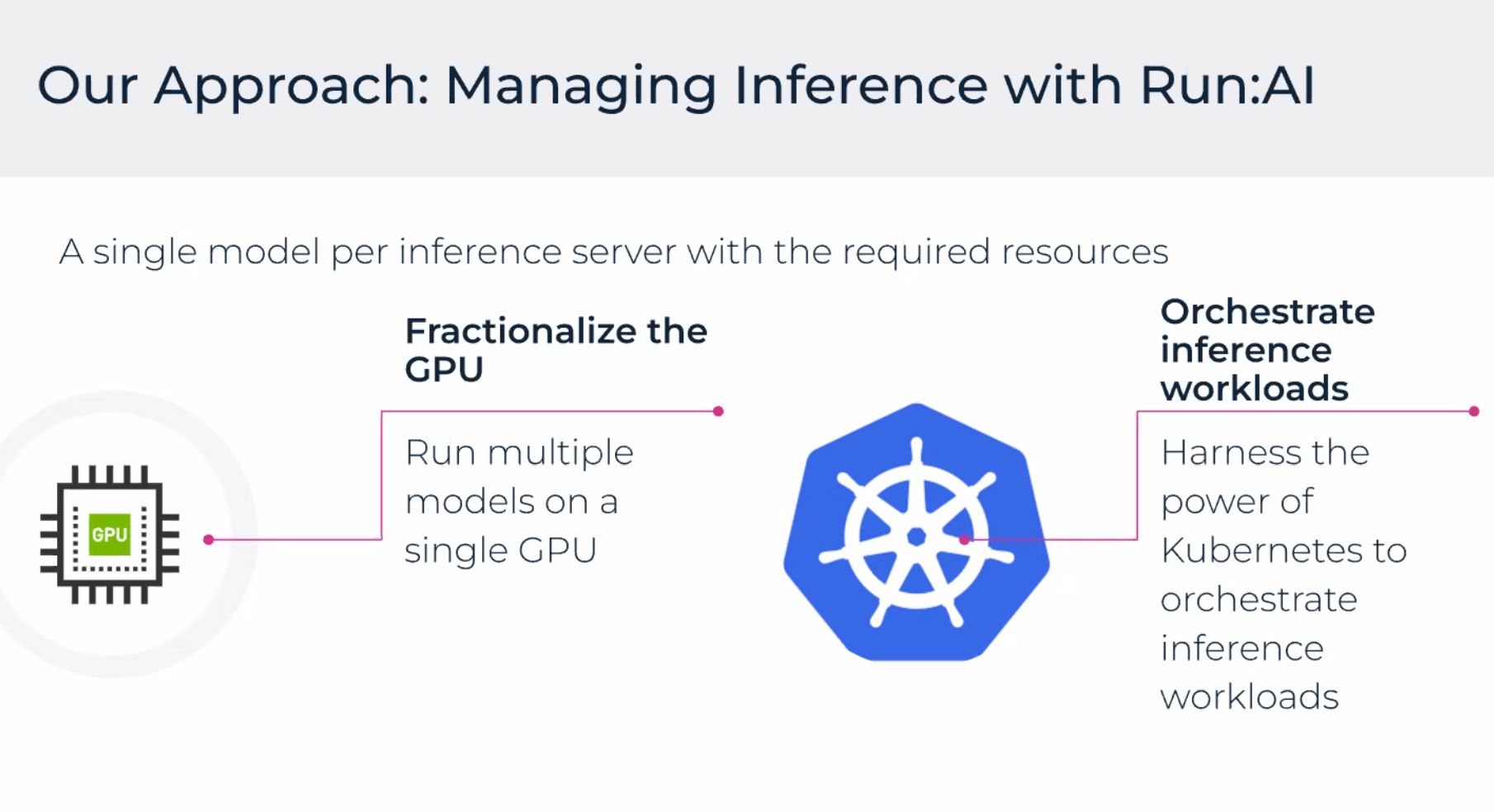
Servers / cluster view mapped Kubernetes nodes to instance types, GPU counts, and health. On AWS this is where you reconcile:
- Node group design (g5.xlarge vs larger cards, mixed instance types).
- Cluster autoscaler adding nodes vs Run:ai scheduling filling existing capacity first.
- Spot for fault-tolerant batch vs on-demand for latency-sensitive inference.
Demo and challenges (the honest slide)
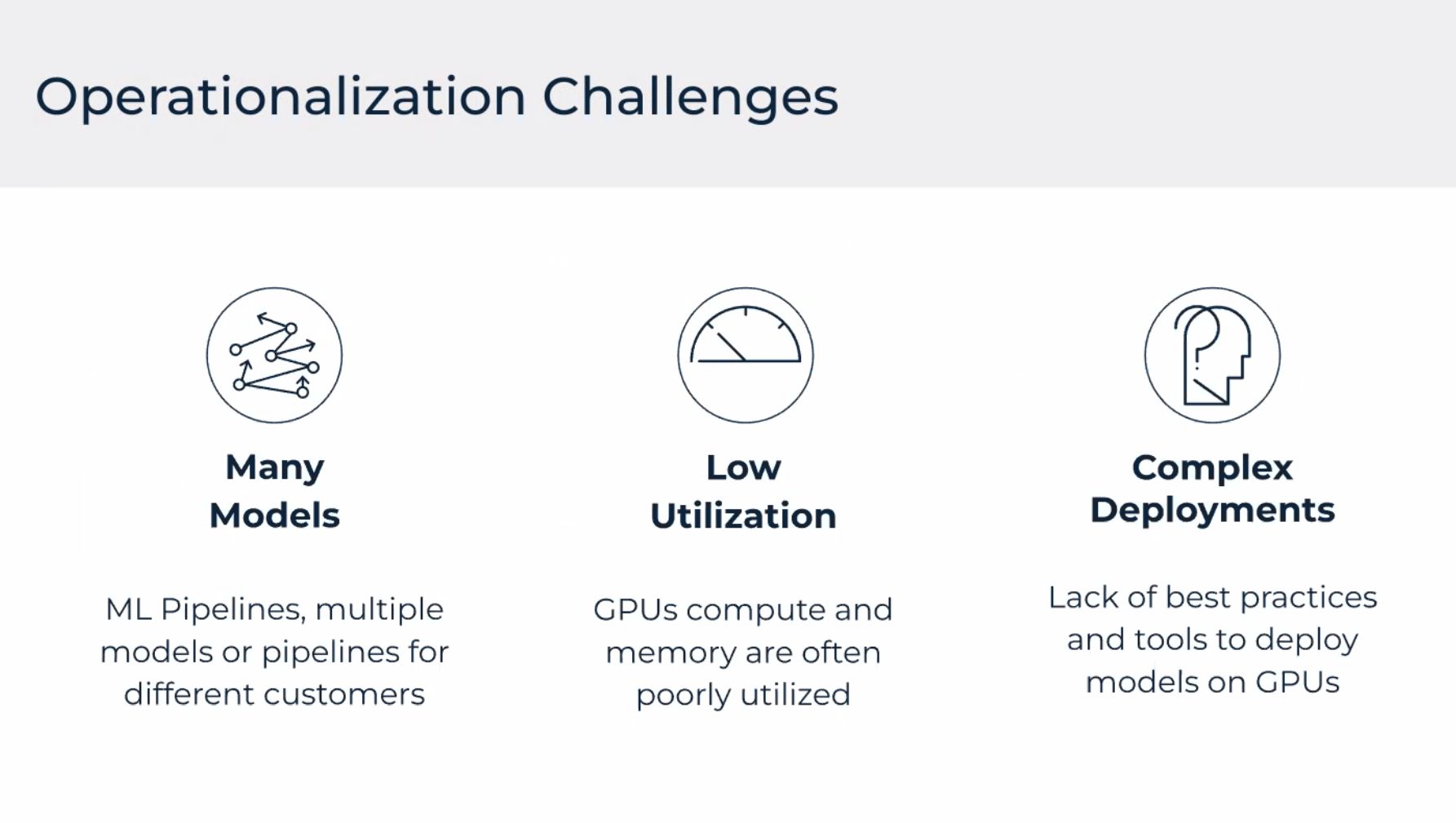
The demo tied the story together: deploy or scale an inference workload, watch the dashboard move, show CLI parity. The challenges slide was the part worth keeping:
| Challenge | Why it hurts |
|---|---|
| Low GPU utilization | Paying for idle cards while teams queue |
| Noisy neighbors | Training spikes starve inference SLOs |
| Observability gap | Prometheus shows pods, not “model v3 latency” |
| Autoscaling lag | New GPU nodes slow; replicas help only if schedulable |
| Cost attribution | Finance asks per product; labels and quotas must exist early |
| MLOps glue | Model registry, monitoring, and scheduler are three different tools |
What I would do differently after this session
- Separate inference node pools (or taints) before mixing with training—cheaper than heroic scheduling later.
- Define SLOs first (p95 latency, max queue time), then pick autoscaler signals—not the other way around.
- Chargeback labels on day one (
team,model,env) so the dashboard conversation with finance is possible. - Treat GPU sharing as a product decision: some teams need dedicated cards; others can share with quotas.
Related posts
- Snowflake Data-for-Breakfast — another 2022 data/infra morning session
- AWS Cloud Practitioner journey — vocabulary for the AWS side
- Vector databases / movie embeddings — ML systems teaching thread
References
- Run:ai documentation (product evolves; check current NVIDIA integration notes)
- AWS Marketplace — Run:ai (search “Run:ai” for listing region and install path)
- Kubernetes GPU scheduling basics — useful contrast with a dedicated scheduler layer
Conference notes from September 2022; product names and AWS paths may have changed since.