Cloud bills pushed me toward a home lab: old PCs, Docker instead of SaaS where possible, and enough scripting to rebuild after a bad weekend. This post is how that network grew — not a perfect design, but one that taught routing, VPNs, and virtualization by breaking things locally. Version française.
Why a home lab
University courses covered IP, VPNs, and routing on paper. Running services at home made the tradeoffs real: power, noise, backups, and “who has SSH when the router dies.” I wanted a place to break things without a cloud invoice — and a story I could tell in interviews that was not only “I used AWS once.”
Docker first
I mapped free container stacks to jobs I was paying for in the cloud — media, dashboards, small utilities. Docker was the on-ramp to treating the homelab as composable services instead of one giant pet server.
Lesson that stuck: one compose file per concern. When Plex misbehaved, I did not rebuild the whole machine — I recycled the volume and learned what actually persisted.
Bash and two servers
Core hardware: a cheap Dell box plus an older 2004-era machine. Bash scripts for Ubuntu, CentOS, and Proxmox installs — repeatable enough that reinstalling after experiments hurt less.
Physical rack (October 2022)
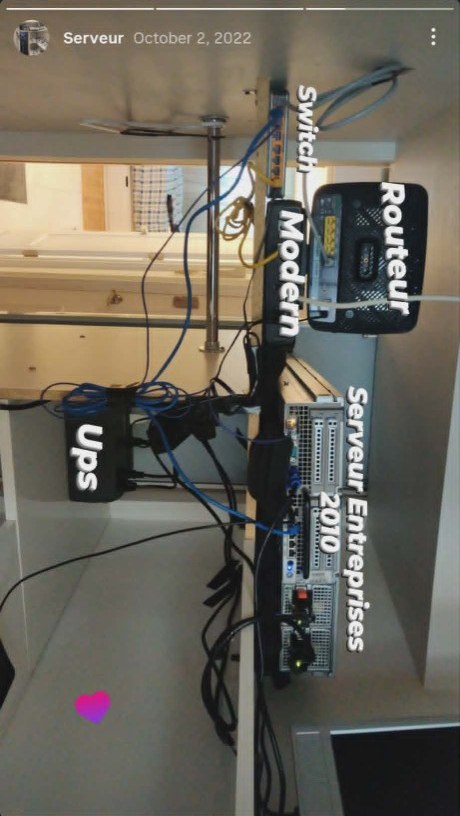
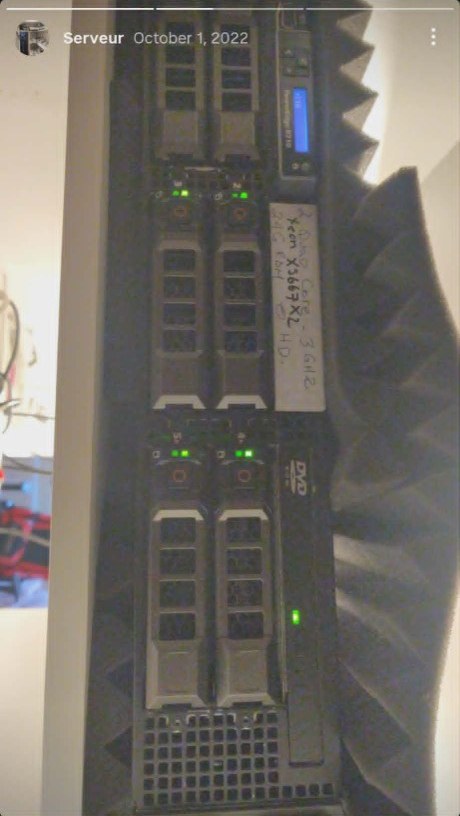
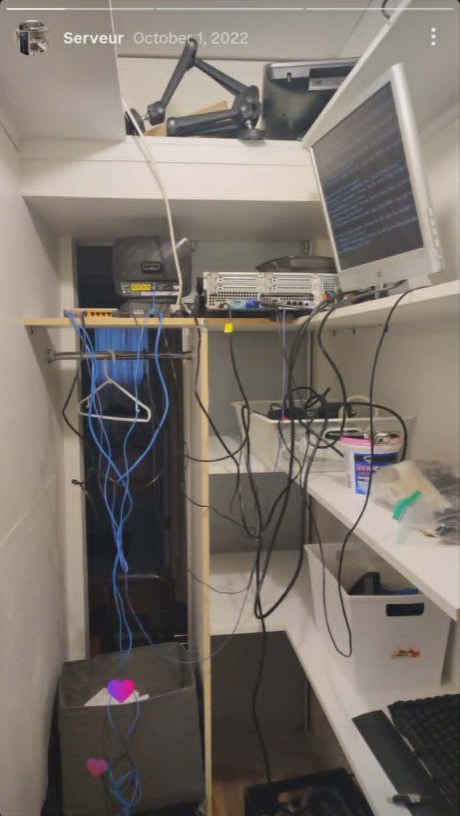
Before the Lucidchart diagrams, the lab was literally closets and shelves — cable nest included. I cropped these from old story posts; they are the real wiring, not a render.
Wall stack — switch, modem, router, enterprise server (2010-era), and UPS, labeled while I was still learning what plugged into what:
Dell PowerEdge R710 — dual Xeon X5667 (~3 GHz quad-core), 24 GB RAM, running headless beside acoustic foam. The handwritten tape on the bezel was my inventory system:
Closet shelf build — rack server horizontal, yellow switch, monitor for local installs, and enough blue patch cables to teach patience:
Virtualization matters when you snapshot before trying something dumb. A dedicated hypervisor host beat bare-metal churn.
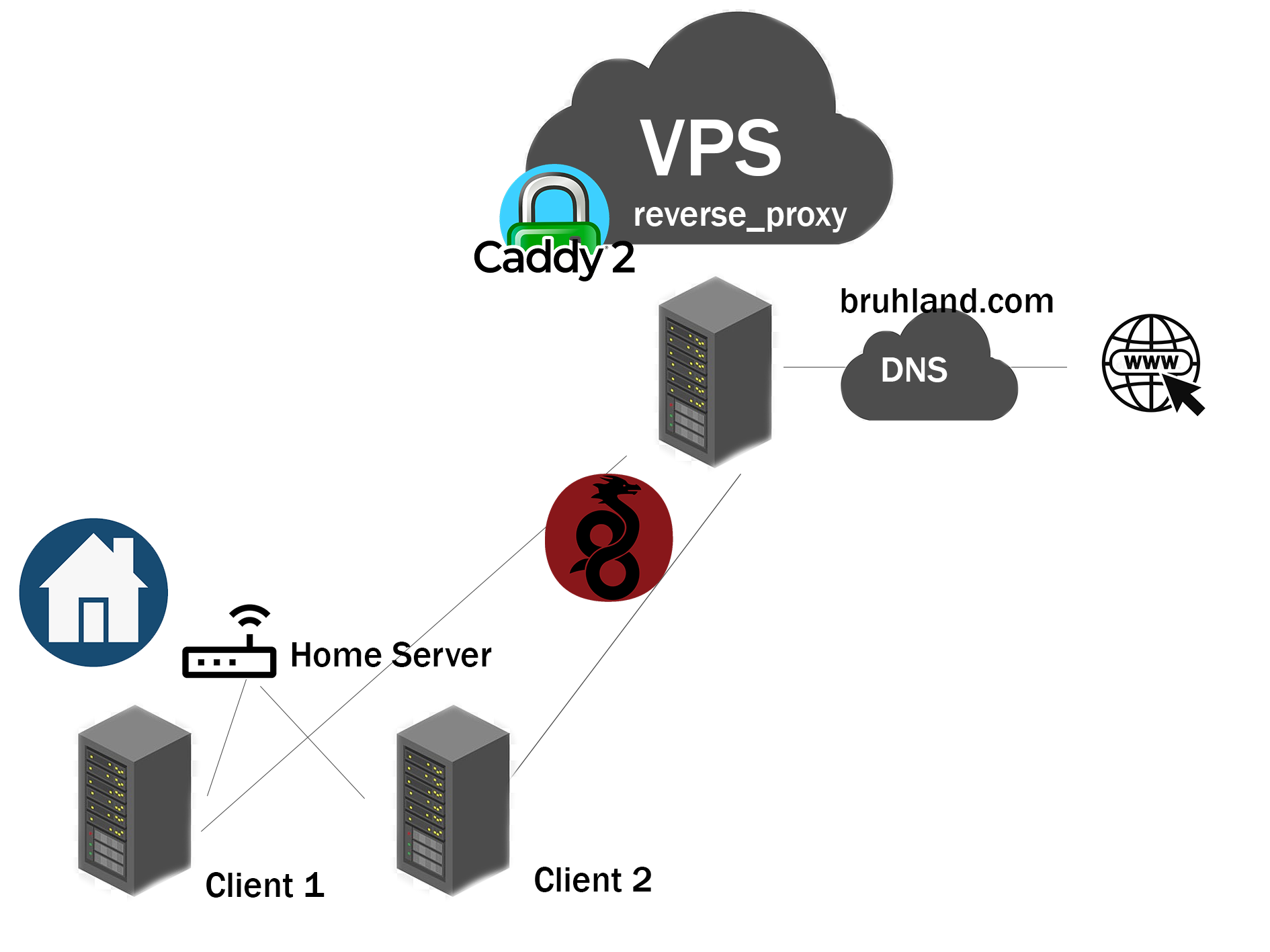
The Lucidchart diagram was the “explain to a roommate” version — which subnet, which box, what is allowed from the internet.
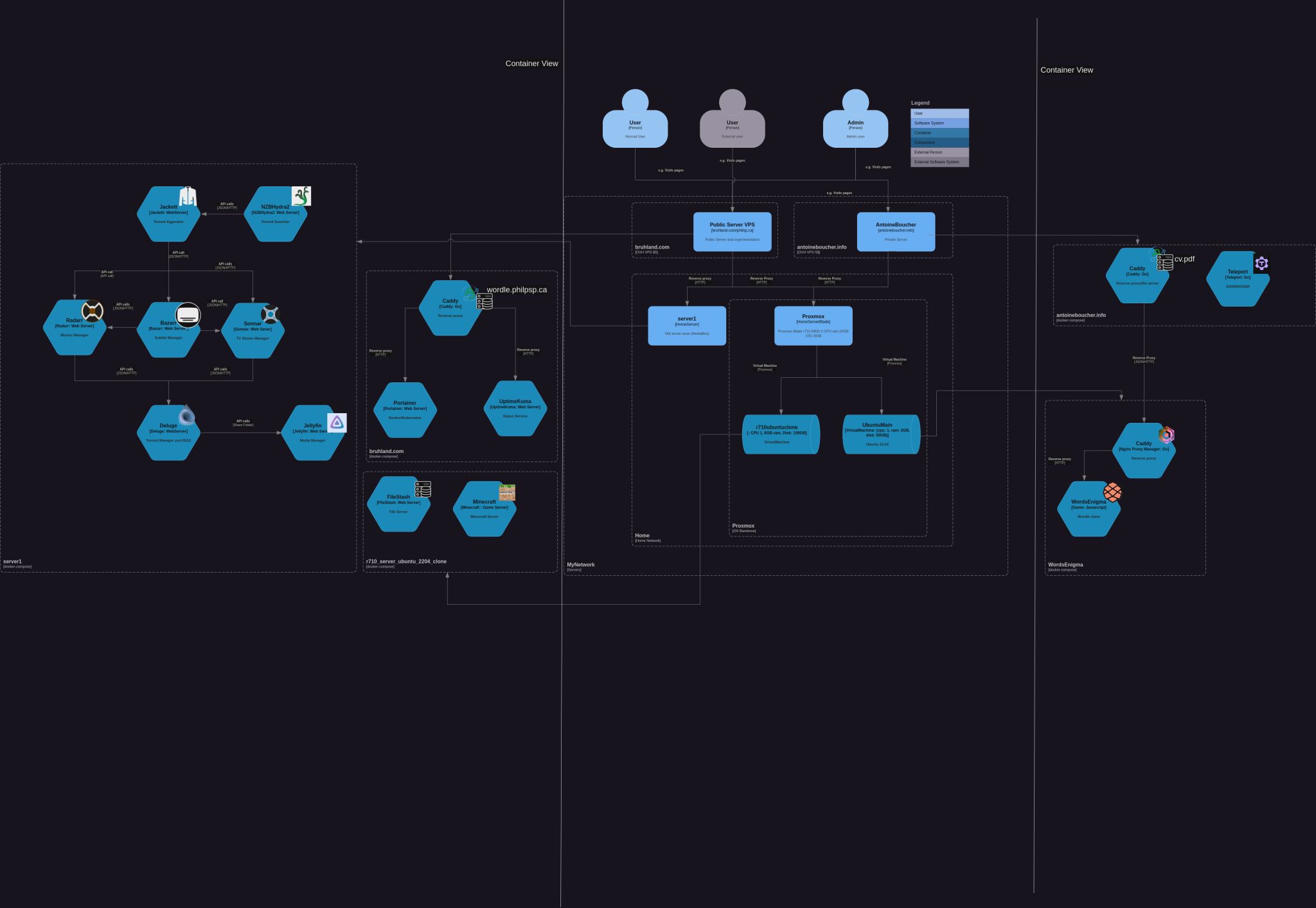
Remote access and edge
Caddy as reverse proxy; public exposure through an OVH front so home IP is not the only line of defense. Automatic HTTPS mattered more than I expected — fewer manual cert renewals, fewer late-night openssl commands. I later mirrored that habit on AWS; see Caddy + EC2 + CloudWatch.
WireGuard for VPN — annoying to configure the first time, fast once up. I contributed small setup helpers so friends could connect without reading man pages for a week. Split-tunnel vs full-tunnel was the debate every guest had; document your choice on the wiki page you will forget to update.
Growth after moving
New apartment, more VLAN curiosity, Proxmox VMs for club projects. Lucidchart for the wall diagram; C4-style views when explaining the stack to someone else.
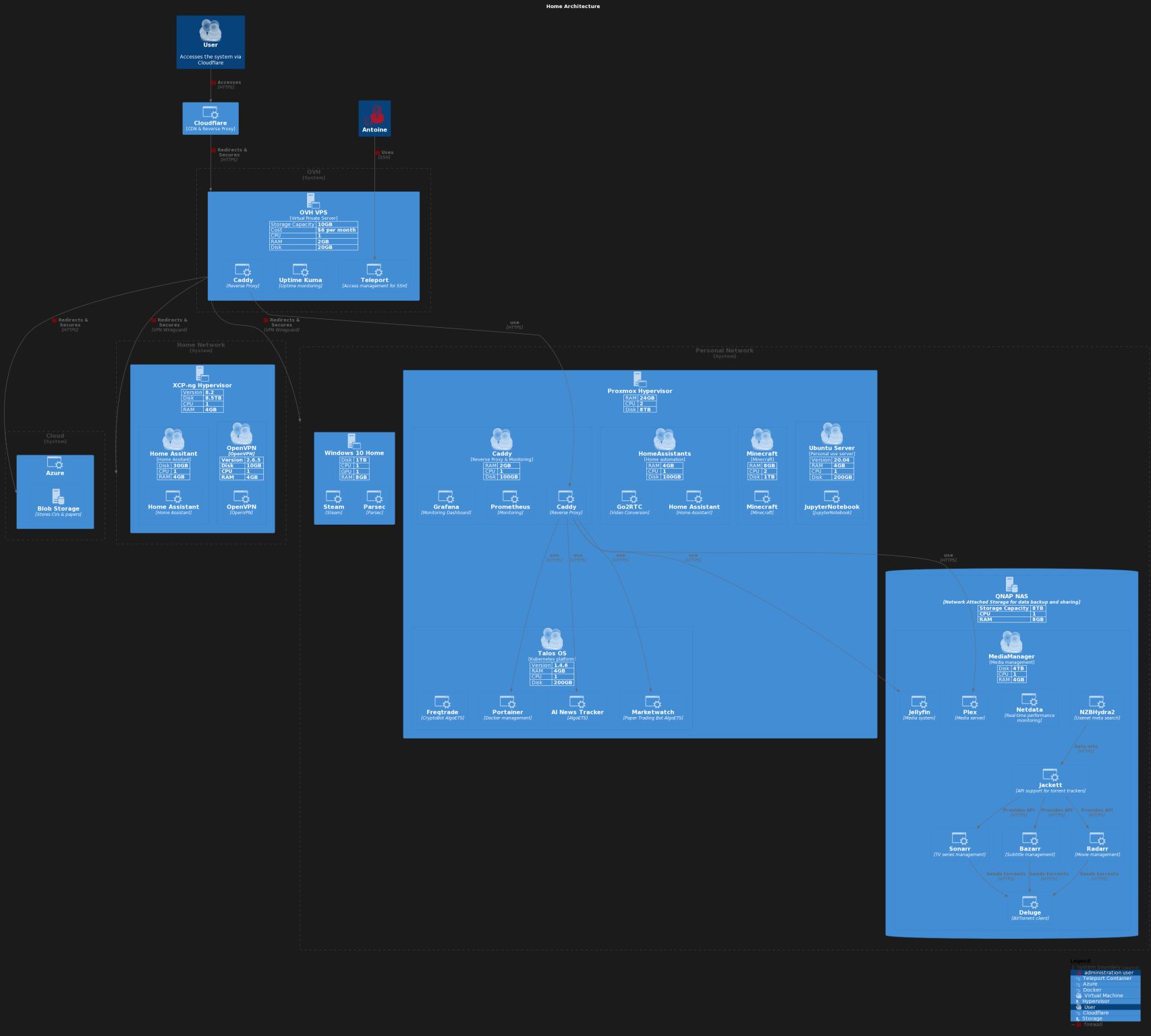
Later I moved public sites toward static hosting (S3/GitHub Pages) to cut always-on cost — the lab stayed for private services.
Failures I remember
- Single disk, no backup — one bad
apt upgradeand a weekend restore from scratch. - Exposing admin ports — learned to put admin UIs behind VPN only.
- Thermal noise — the R710 taught me to care about fan curves before “server” means “bedroom adjacent.”
Where it landed
A homelab is a sandbox for platform instincts: automate installs, document topology, assume failure. Related today: MediaBoxDockerCompose and install scripts on the main CV project list.
Related posts
- MediaBox homelab — Docker stack notes — compose, ports, and Proxmox helper-scripts
- Renpho scale + Home Assistant — another “own your data at home” project
- Skate rack — CAD to plywood — physical builds between cable runs
- Caddy on AWS — same reverse-proxy ideas, different bill