Transcript
Ava: Twenty-five thousand. That's how many times people have used Antoine's UML diagram tool on the GPT Store.
Andrew: Wow, for a diagram tool? What made people reach for it?
Ava: It solves a very familiar chore. At school, UML is how everyone shares an idea. Antoine got tired of dragging boxes and arrows around in Lucidchart, so he built a tool where you simply describe the diagram in chat.
Andrew: So you talk, and the boxes appear.
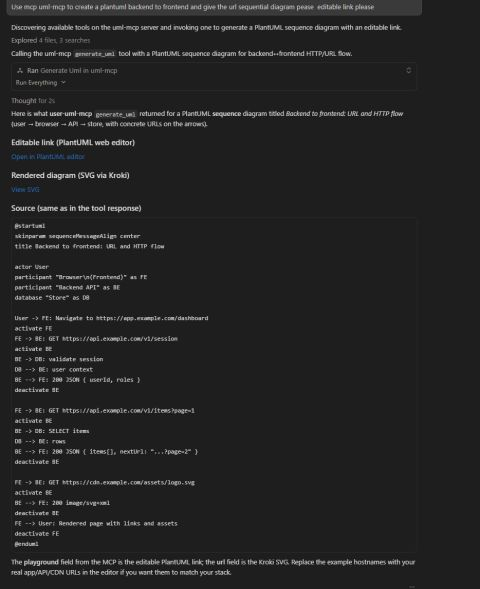
Ava: Right. You type a prompt and get editable PlantUML back. The post shows a screenshot of exactly that, a diagram generated through M C P in a chat window. Think of it as having a patient draftsperson who redraws the sketch every time you change your mind.
Andrew: And where does the tool come from?
Ava: It grew out of his D2C OpenAI plugin, which has its own write-up and a GitHub repository called D2COpenAIPlugin. The GPT Store version brought that idea to a much wider audience.
Andrew: What's next for it?
Ava: Antoine would love for someone else to carry the app forward, and he's glad to share what he learned building it. So it's a nice open door for anyone interested in diagram tooling.
Andrew: A good reminder that a small itch can become something thousands of people use.
Ava: Exactly. The written post has the screenshot and links to the plugin write-up and the repository.