D2COpenAIPlugin is a ChatGPT plugin that turns conversation into PlantUML, Mermaid, or D2 without leaving the thread. I built it when OpenAI plugins were the main extension story — useful for architecture sketches, lab docs, and “draw this flow” moments in chat. Version française.
User story
A teammate describes a flow in chat; I need a sequence diagram in the repo ten minutes later. Before the plugin, that meant exporting a whiteboard photo or hand-typing PlantUML from memory. With D2C, the model emits syntax, the plugin renders it, and I paste the result into Markdown — same loop I use today with MCP, different host.
Why not only screenshots?
Whiteboards do not paste into Markdown repos. I wanted text-native diagrams I could drop into Hugo posts, GitHub READMEs, and design reviews — the same motivation as later Diagram prompts with ChatGPT and AIPRM, but wired as a plugin action instead of a pasted template.
Install and first run
- Clone or follow README on **github.com/antoinebou12/D2COpenAIPlugin.
- Enable the plugin in ChatGPT (plugin era listing: short link).
- Ask for a diagram type explicitly — “sequence diagram, PlantUML, React → API → Redis → DB”.
The model still hallucinates syntax sometimes; the plugin’s job is to route to the right renderer, not to guarantee perfect UML.
Demo
Static capture of the plugin surface in ChatGPT:
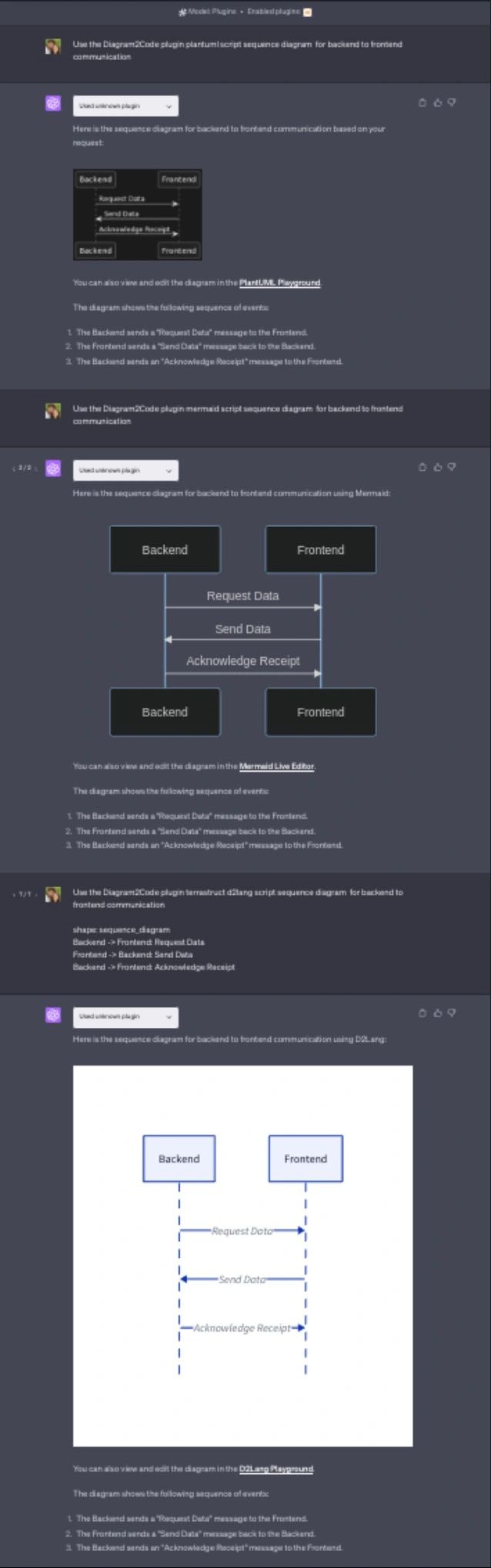
Animated walkthrough:
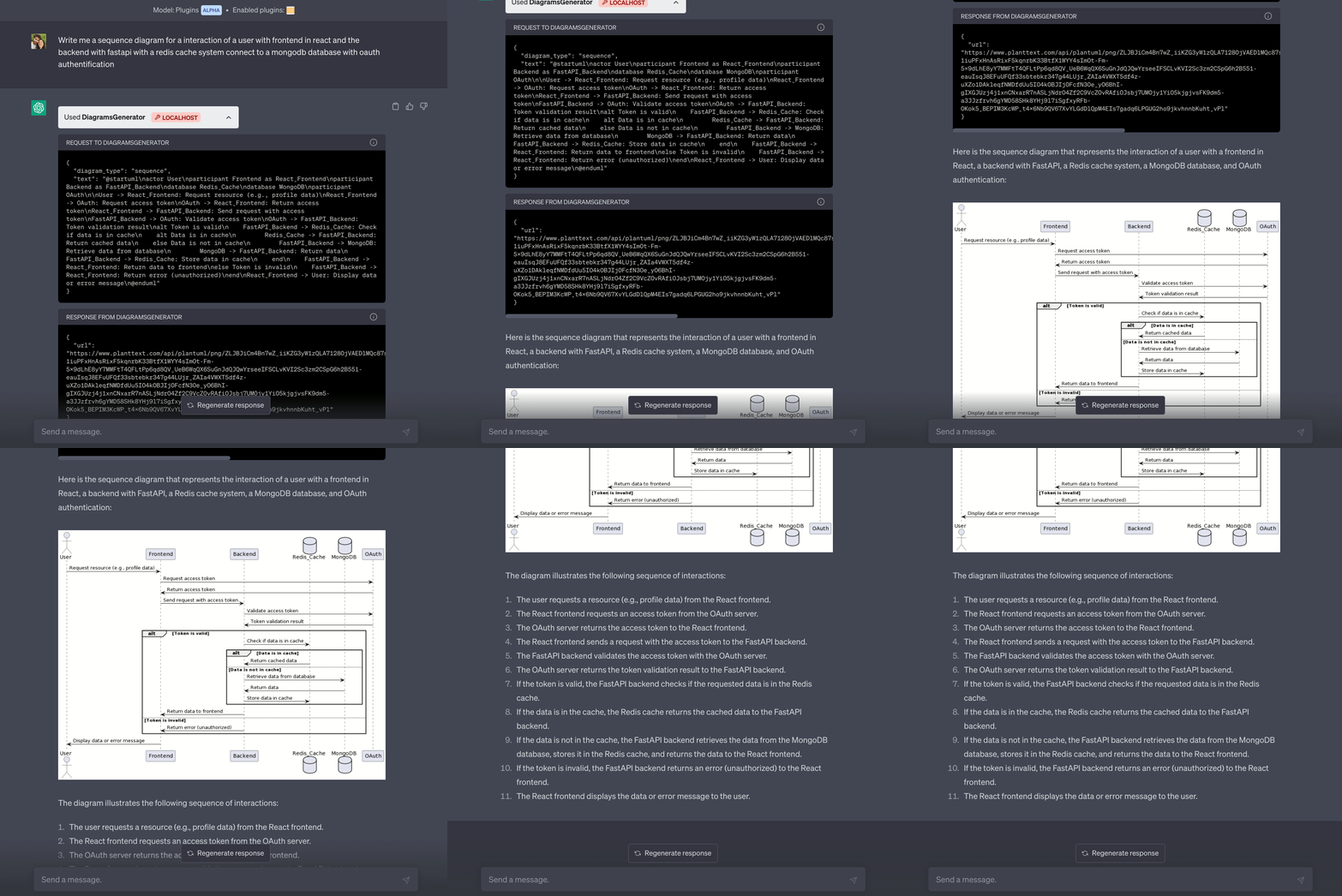
What it supports
| Format | Good for |
|---|---|
| PlantUML | UML sequences, classes, deployments in docs |
| Mermaid | GitHub-native diagrams, quick flows |
| D2 | Modern declarative system sketches |
Example prompts that worked
Sequence diagram in PlantUML: user, React app, FastAPI, Postgres — include login and cache miss path.
Mermaid flowchart: CI pipeline from git push to deploy on AWS — lint, test, build image, ECR, ECS.
D2 diagram: homelab — Caddy on EC2, CloudWatch logs, Lambda alerts (keep boxes readable).
Limits
- Plugin platform churn — OpenAI’s plugin story moved; treat this as historical tooling plus repo reference.
- Validation — always render locally (PlantUML server, Mermaid live editor) before publishing.
- Secrets — never ask the model to diagram production credentials inline.
Successor-style work for editors: uml-mcp for Cursor and MCP hosts.
Related posts
- GitHub Copilot session at Cédille — same era of AI dev tooling talks
- Diagram prompts with ChatGPT and AIPRM